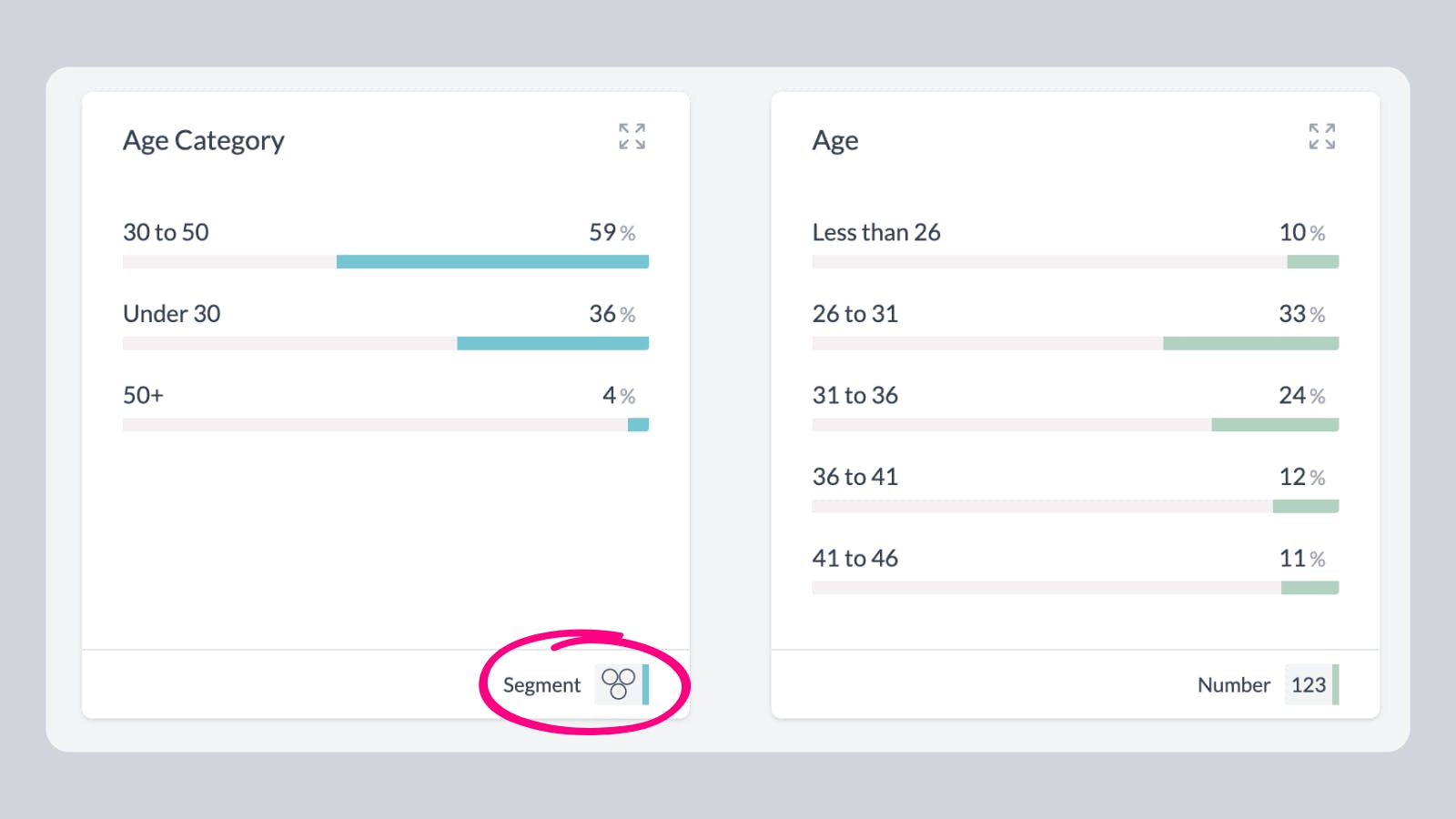
AddMaple automatically calculates appropriate "bins" or groups for numeric and date data. These are re-calculated automatically based on your dataset and the filters you have applied.
Sometimes its useful to have your own specific bins that don't change. This can be achieved through our Segment or Merge feature.First, click on the options menu and select "Segment or Merge" 1segment or merge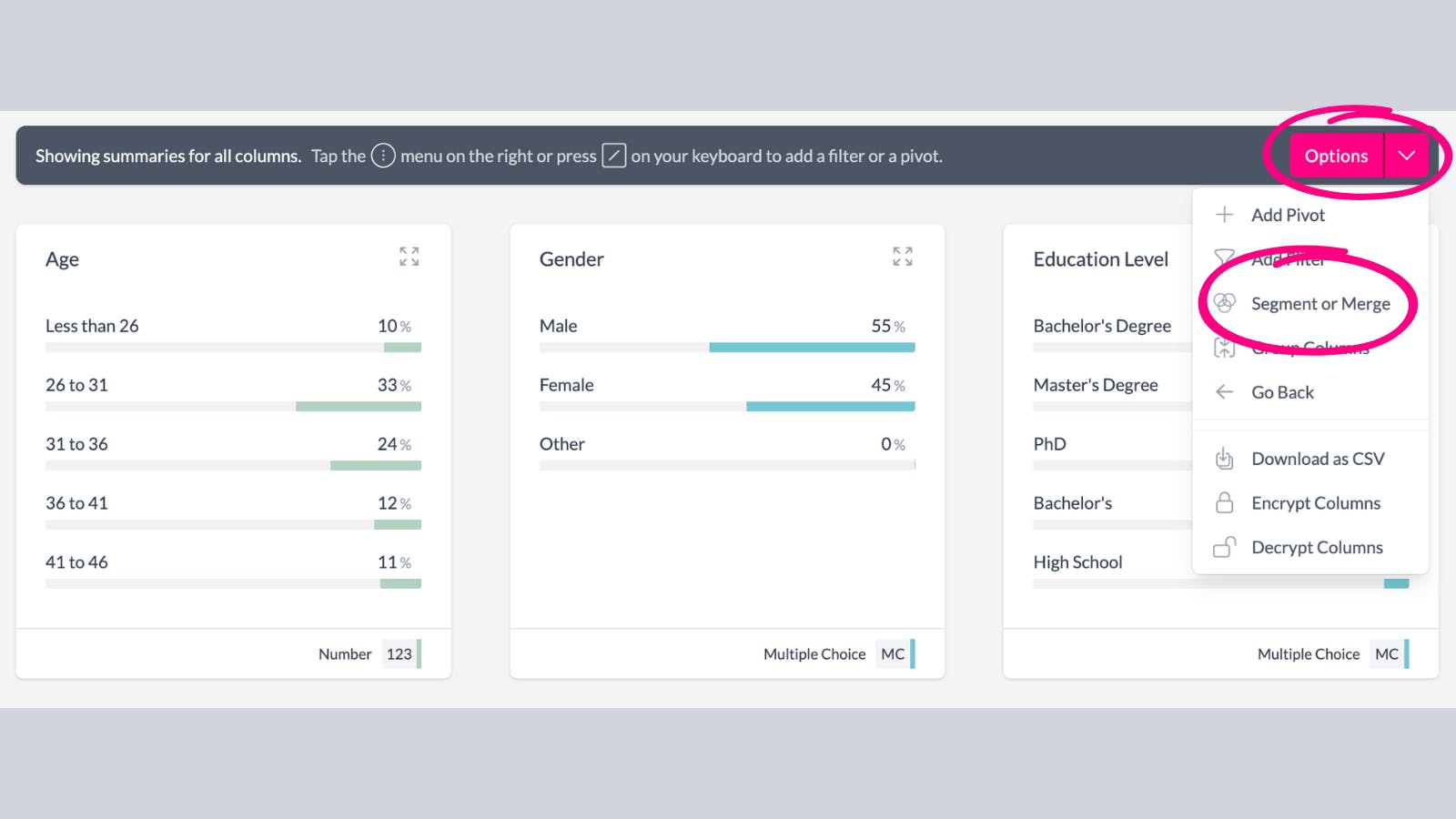
Give your new column a name, in this example we are creating an Age Category column. Now create your bins (segments) using filters. In this example we've created 3 age category segments. 2custom bins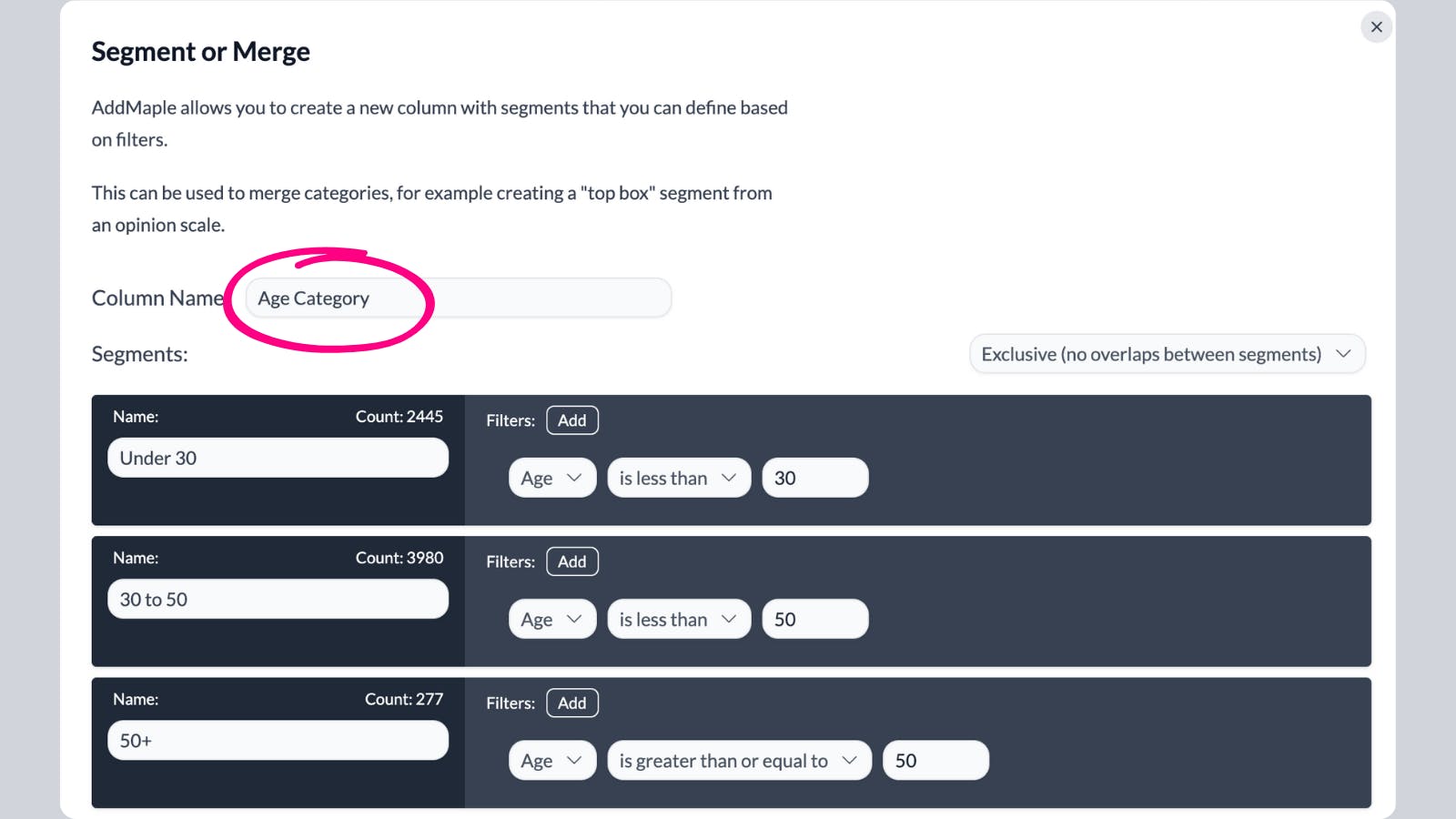
After saving, you will have a new column with your custom bins. You can now explore, pivot and segment by this column. 3new binned col