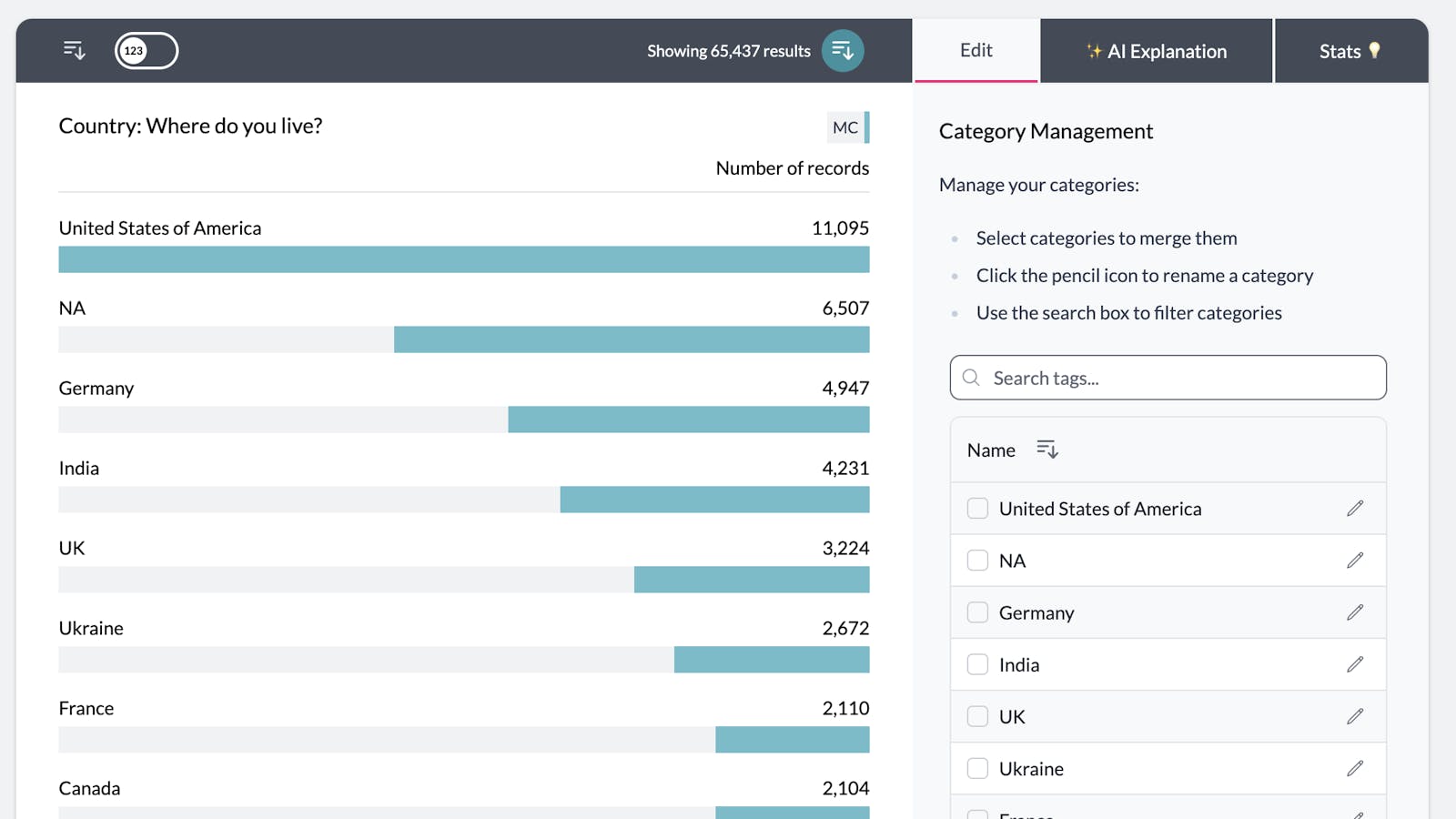
With AddMaple, you can easily rename categories without altering your original data. The changes are saved in your project settings, so the original data remains untouched.To rename a category, expand the column containing the category, click the “Edit” tab in the legend, locate the category you want to update, and click the pencil icon. 1rename category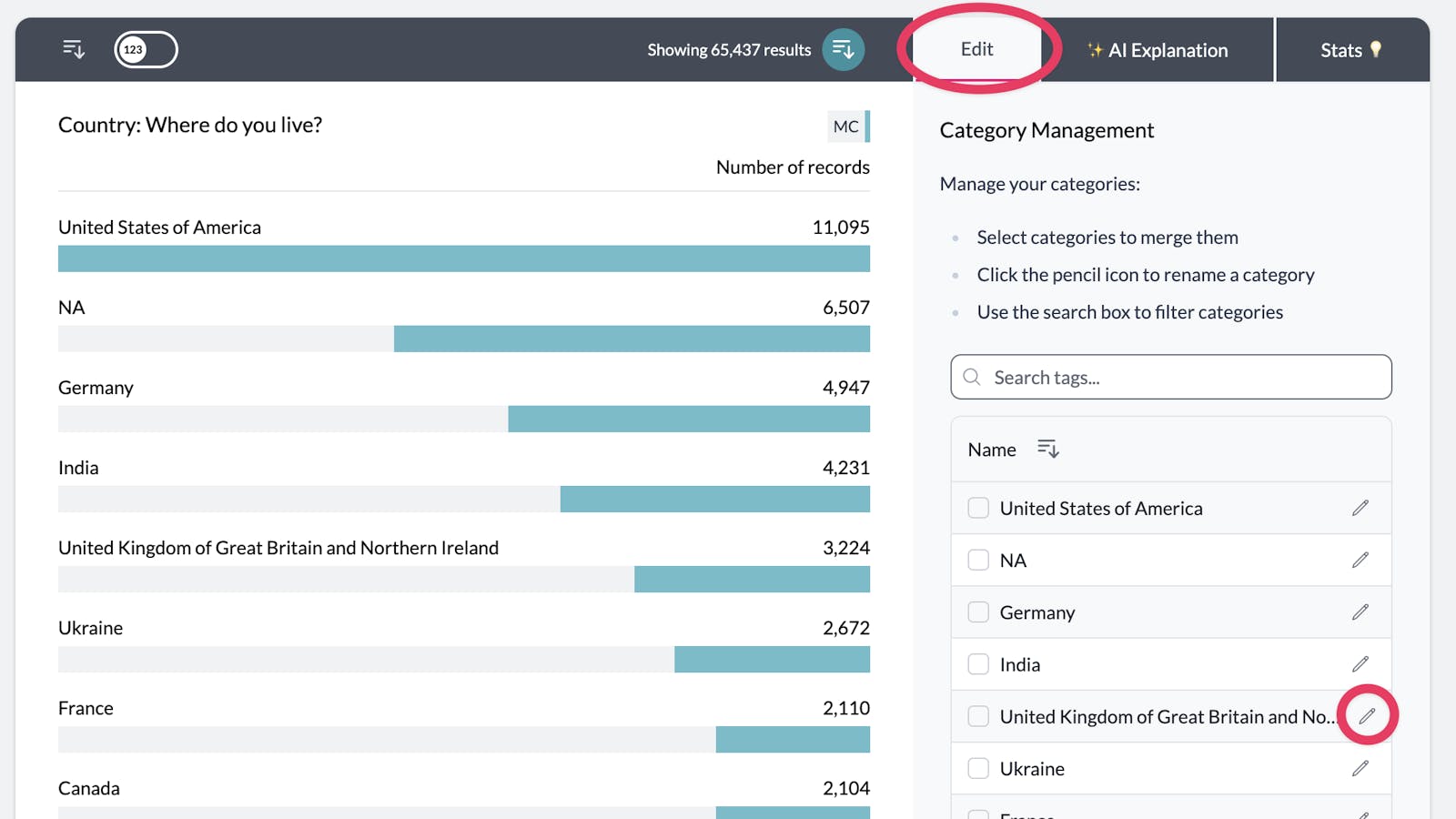
Adjust the name of the category and when you are done press enter or click the green tick. 2category edit input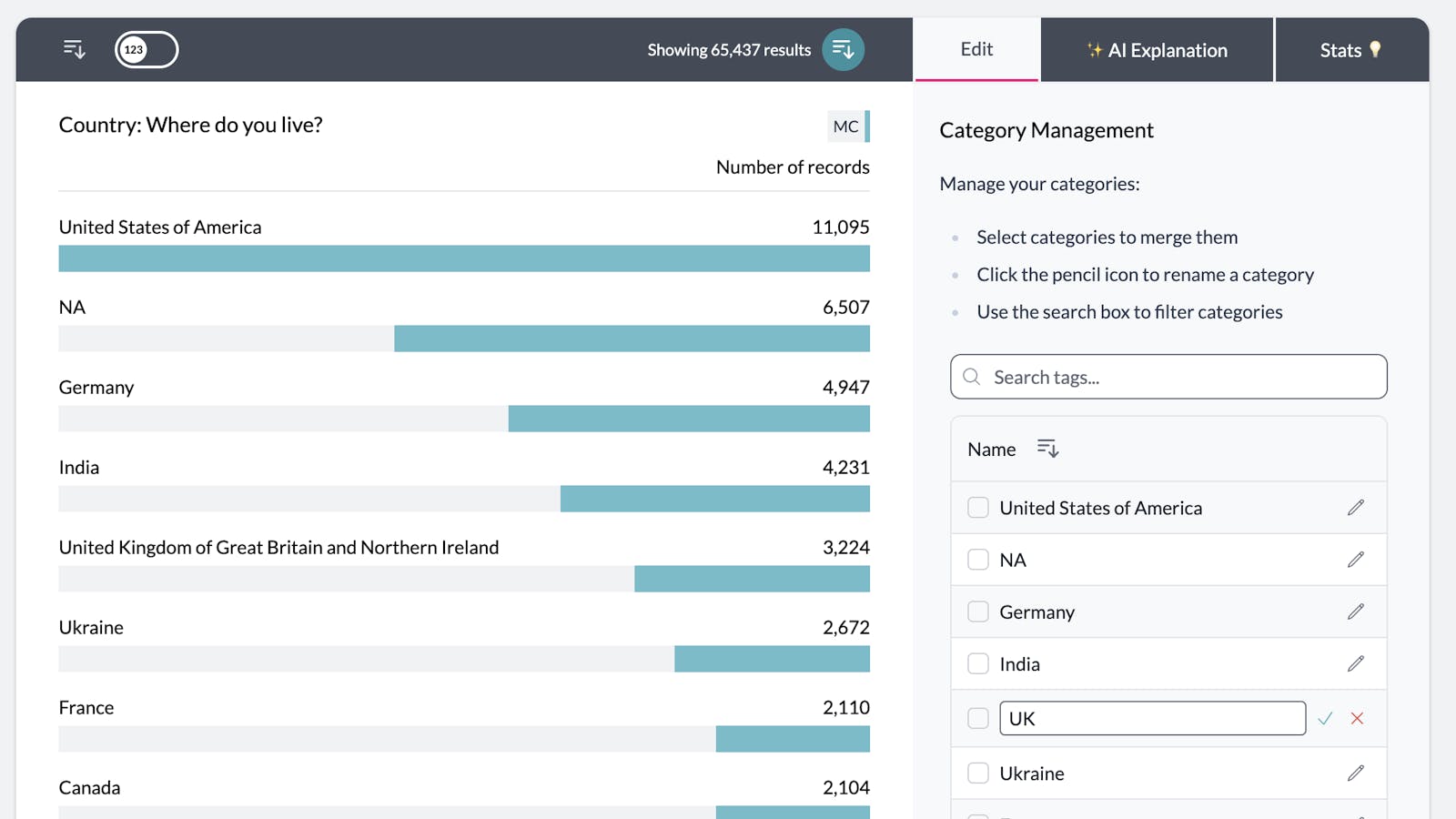
Once you rename a category, the change will be applied instantly, and your pivot chart will update automatically to reflect the new name. 3update category complete