Text Analysis
AI Models
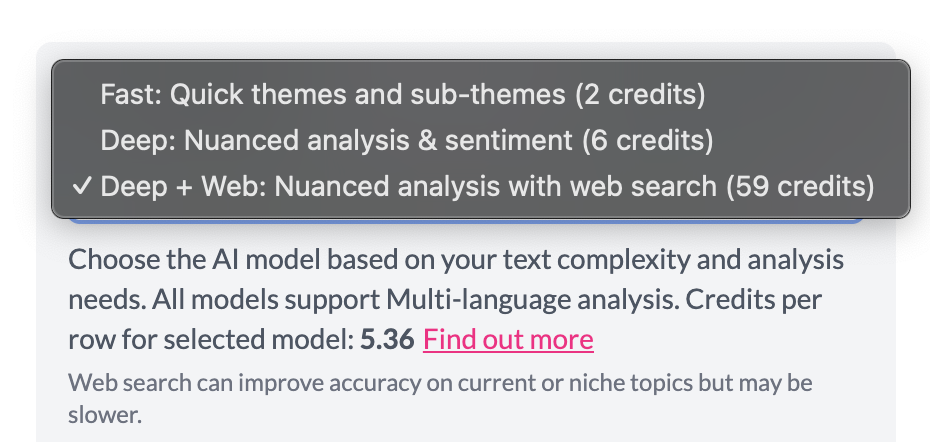
For thematic coding you can choose among three models when applying codes.
Fast — Best for quickly tagging broad themes and sub-themes. Use when you need efficient coding on large volumes of text (e.g. “Common themes in reasons for patient visits” or “Main topics in open-ended survey responses”).
Deep — Best for more nuanced analysis and sentiment. Use when you care about tone, polarity, or specific topics (e.g. “Extract food mentions in restaurant reviews and code by sentiment to see most/least praised foods” or “Identify and code positive vs negative feedback themes”).
Deep + Web — Same as Deep, plus optional web search so the model can use up-to-date or niche context when it helps (e.g. distinguishing an artist from an event, or coding current or specialized topics). Slower and uses more credits than Deep.
All models support multi-language analysis (80+ languages).
When you apply codes, you choose the model in the dialog; AddMaple will show an estimate of credits based on the amount of text you’re analyzing.