


Prepare
Live trackers & repeatable refresh
Align multi-wave trackers and refresh waves without rebuilding the project from scratch.
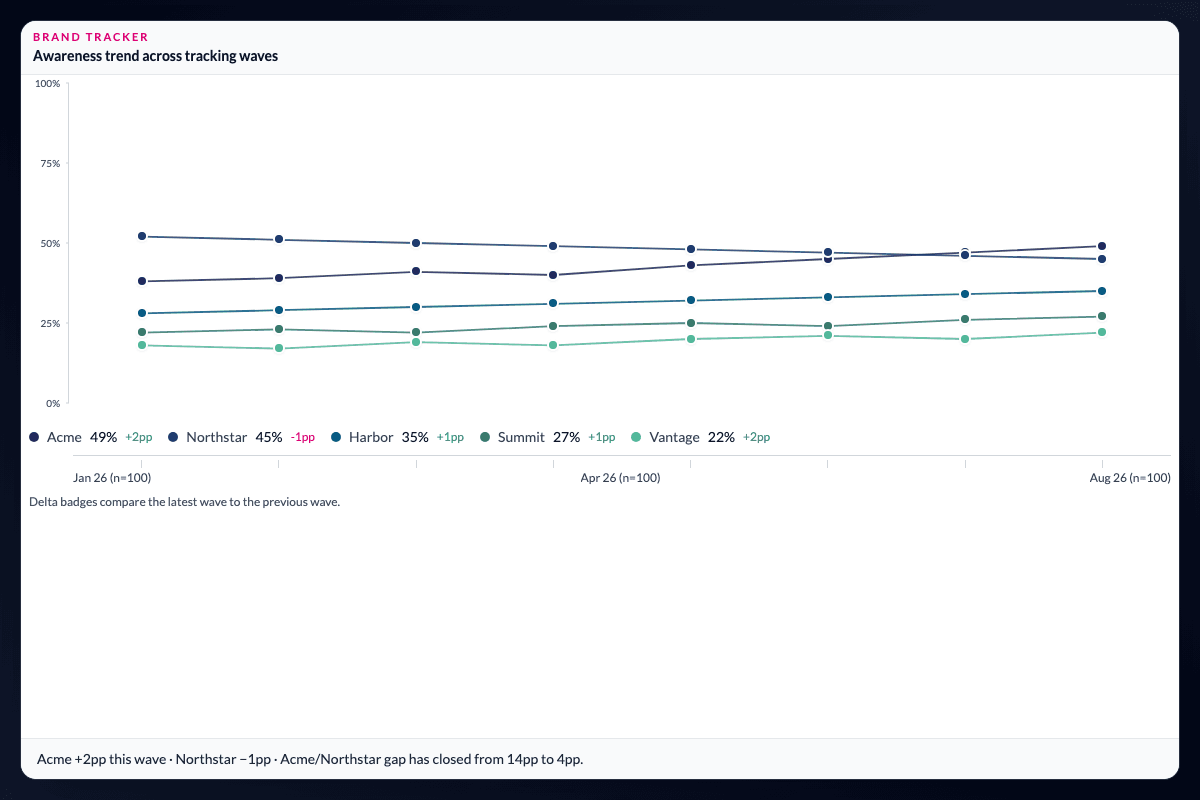
The next wave should not mean a new project.
Align multi-wave trackers and refresh waves without rebuilding from scratch. Append new data while preserving calculated variables, segments, dashboard layouts, and analysis configurations.
Keep the definitions consistent as the tracker changes.
Column mappings and schema files help align changing question structures across waves. Historical trends remain connected to the same filters, weights, and banner definitions used for cross-sectional cuts.
Spend the next wave explaining change, not reconstructing work.
Repeatable refresh avoids recreating metrics, reapplying segments, and re-exporting dashboards. Once the wave is aligned, compare movement over time and investigate the groups behind it in the same project.
Treat the tracker as a continuing study.
The value of a tracker is not just a sequence of files; it is comparability across time. Keeping wave structure, derived measures, audience definitions, and outputs together makes it possible to distinguish a real movement from a change introduced by preparation. The next step is to examine the trend and the subgroups behind it.
Questions teams ask
Can I refresh a tracker without rebuilding the analysis?
Yes. AddMaple can append a new wave to the same project while preserving calculated variables, segments, dashboard layouts, and analysis configurations.
What if the tracker questionnaire changes between waves?
Column mappings and schema files can help align changing question structures across waves, subject to the incoming data matching the project’s intended design.
Can I use the same weights and segments across waves?
Historical trends remain connected to the filters, weights, and banner definitions used for cross-sectional cuts when the waves are aligned.
How it works
Step-by-step guides in the AddMaple help center.
- Combine files (waves and trackers)
Join multiple data files side by side on a common ID or stacked by wave, map columns, and refresh recurring tracker waves in the same project.
Part of AddMaple's feature areas
This capability sits within broader product areas on the features hub.
- Data preparation & live research data
Continue exploring
Follow the next step in the workflow or explore a related capability.
- Tracker trends & wave comparisonCompare waves, track movement in key metrics over time, and analyse longitudinal tracker data in the same project as cross-sectional cuts.
- Import survey & research dataStart when the file arrives — import Qualtrics, Decipher, Alchemer, SPSS, Excel, CSV, live connectors, SharePoint, and governed enterprise data sources without a separate processing step.
See this capability on a real research workflow.
Bring one study or delivery workflow and we’ll show where AddMaple fits.