


Discover
MCP agent access
The AddMaple analysis engine can be operated from the AI environment your team already uses — Cursor, Claude, ChatGPT, and other MCP hosts — with the same project permissions as the browser.
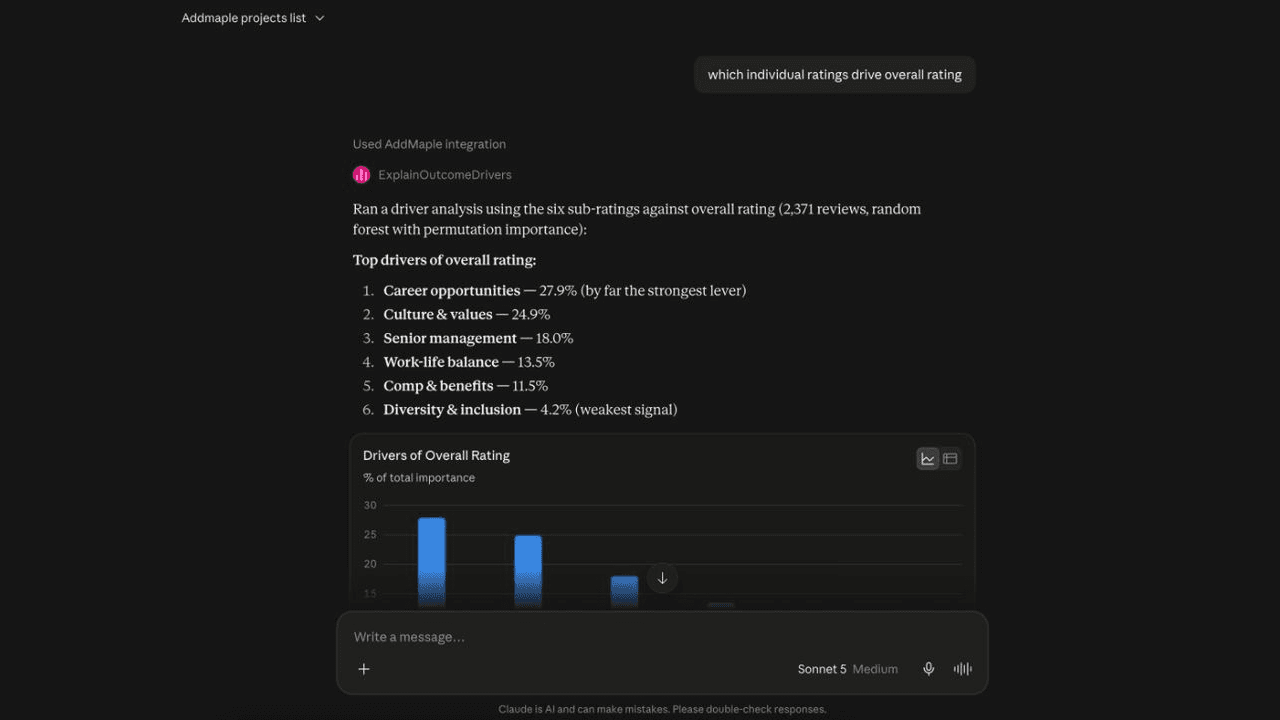
Operate AddMaple analysis from the AI environment your team uses.
The AddMaple analysis engine can be operated from Cursor, Claude Desktop, Claude Code, ChatGPT, and other MCP-compatible hosts. Researchers work from the AI environment they prefer without exporting a CSV or rebuilding a cut.
Connect once, then work on the live project.
Paste the AddMaple MCP endpoint, sign in when prompted, and approve access. Agents can then use the same analysis toolkit as Ask Maple—summaries, crosstabs, relationship and driver analysis, segmentation, clustering, and open-text review—on team projects.
Keep access governed by the account behind it.
Agents use the permissions of the signed-in account: they see only the projects that account can open and do not bypass team entitlements. The analysis remains connected to the prepared project data used for delivery, rather than becoming an ungoverned chat export.
Extend the interface without creating another source of truth.
MCP is useful when the team’s preferred working environment is an AI editor or assistant. The project, permissions, and analytical toolkit remain in AddMaple; the connected host provides another way to ask questions and initiate work. That makes the integration an access layer around the research workflow, not a second place where an uncontrolled copy of the study lives.
Questions teams ask
Which AI tools can connect to AddMaple through MCP?
AddMaple’s MCP server supports Cursor, Claude Desktop, Claude Code, ChatGPT, and other MCP-compatible hosts.
What can an MCP-connected agent do?
An agent can use AddMaple’s project analysis toolkit for summaries, crosstabs, relationships, drivers, segmentation, clustering, and open-text review.
Does MCP bypass AddMaple project permissions?
No. Agents use the permissions of the signed-in account and do not bypass team entitlements or expose projects that account cannot open.
How it works
Step-by-step guides in the AddMaple help center.
- Connect AI agents to AddMaple
Add the AddMaple MCP URL in Cursor, Claude Desktop, Claude Code, or other MCP hosts, sign in once, and approve team project access.
- Analyze projects with MCP
Let your agent explore live projects with summaries, crosstabs, drivers, clustering, segmentation, and text analysis tools grounded in AddMaple data.
Related links
Continue exploring
Follow the next step in the workflow or explore a related capability.
- Ask Maple — AI analysis agentAsk Maple operates AddMaple's analysis capabilities in project context — tables, relationships, key drivers, regression, segmentation, qual coding, and explainable statistical evidence — not a generic chat about data.
- Slack team analysisAnalyze team projects in Slack channels, threads, and DMs with the same toolkit as Ask Maple — summaries, crosstabs, drivers, segmentation, and open-text review where your team already works.
- Python & R programmatic accessYou are not trapped when AddMaple does not have a specialist method — connect Python or R notebooks, run your own analysis, and write columns back to the same project.
See this capability on a real research workflow.
Bring one study or delivery workflow and we’ll show where AddMaple fits.