


Deliver
Team questions in the tools you use
Let teammates ask follow-up questions about a live research project from Slack, Cursor, Claude, ChatGPT, and other existing tools — with governed access to the same AddMaple analysis and evidence.
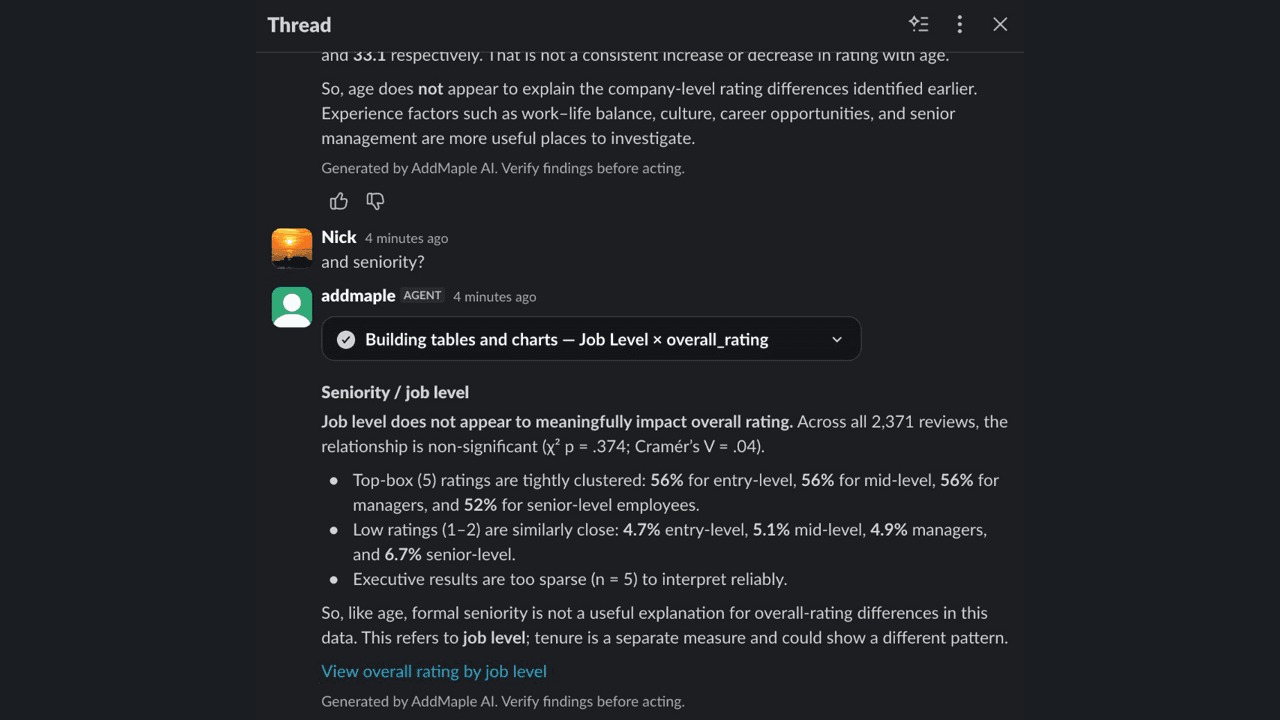
Let the team ask the next question where the conversation is happening.
Research delivery should not end when you export the slides or publish the Hub. AddMaple lets authorised teammates ask follow-up questions about the live project from the tools they already use: Slack, Cursor, Claude, ChatGPT, and other MCP-compatible environments.
They can ask for summaries, subgroup comparisons, drivers, segments, or open-text themes. The result stays connected to the same prepared project, calculations, and evidence the research team uses in AddMaple.
Give stakeholders useful access without handing over the analyst workspace.
Slack is designed for channel and thread conversations. MCP connects AddMaple to AI tools such as Cursor, Claude, and ChatGPT. In both cases, each person signs in and can access only the projects their AddMaple account is permitted to open.
Use the browser for editable charts, filters, and full working analysis. Use these delivery surfaces to answer the next question quickly, in context, without creating an uncontrolled exported copy of the research.
Microsoft Teams is coming soon.
Questions teams ask
Where can teammates ask questions about an AddMaple project?
Teammates can use the AddMaple Slack app or connect supported MCP hosts such as Cursor, Claude, and ChatGPT to ask questions about accessible projects.
Do these integrations use the same project analysis?
Yes. They connect to the same AddMaple project analysis and evidence rather than creating a separate copy of the research.
Are questions governed by existing permissions?
Yes. Connected tools use the signed-in account’s project access and do not bypass team entitlements.
How it works
Step-by-step guides in the AddMaple help center.
- Analyze a project in Slack
Bind a Slack thread to a project, ask a question in the conversation, and open the supporting AddMaple evidence when the team needs more depth.
- Connect AI agents to AddMaple
Connect Cursor, Claude, ChatGPT, or another MCP host to AddMaple once, then let authorised teammates work from their preferred AI tool.
Related links
Continue exploring
Follow the next step in the workflow or explore a related capability.
- Slack team analysisAnalyze team projects in Slack channels, threads, and DMs with the same toolkit as Ask Maple — summaries, crosstabs, drivers, segmentation, and open-text review where your team already works.
- MCP agent accessThe AddMaple analysis engine can be operated from the AI environment your team already uses — Cursor, Claude, ChatGPT, and other MCP hosts — with the same project permissions as the browser.
- Story Dashboards & Insight HubsBuild page-based Story Dashboards in the product, then publish controlled, explorable Insight Hubs that clients and stakeholders keep using after the debrief.
See this capability on a real research workflow.
Bring one study or delivery workflow and we’ll show where AddMaple fits.